📺 Television
The television is connected to an Orange TV decoder.
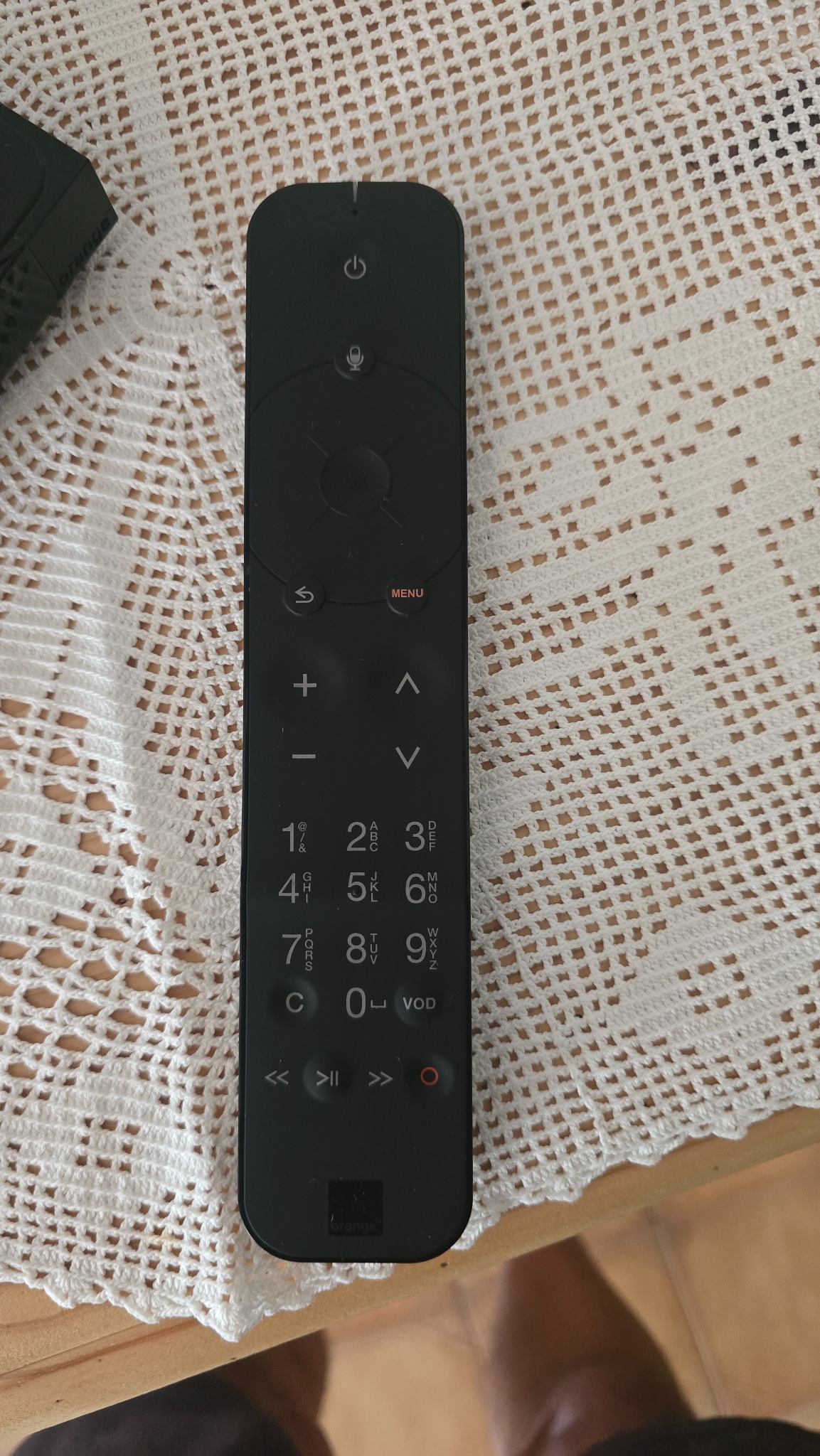
Only one remote control is needed for normal use: the Orange remote control.
Orange remote control
Switching the television on and off
Press the ⏻ button at the top of the Orange remote control.
The television and Orange decoder will switch on together automatically.
To switch them off, press ⏻ again: both the television and decoder will go into standby mode.
One remote control
Normally, there is no need to use the buttons on the television.
The Orange remote control operates the whole system.
Watching television
- P+ / P−: change channel
- + / −: adjust the volume
- MENU: open the Orange TV home screen
- Arrow keys: navigate through menus
- OK: confirm
- Back ↩: return to the previous screen
- ▶ ❚❚: play / pause
TV guide
Press MENU, then select the TV guide to see current and upcoming programmes.
If the screen is black
First check that the Orange decoder is switched on.
Avoid changing the television input/source: the decoder is already configured to the correct HDMI input.